




 Atrás
Atrás 


















Introduction
Netskope Threat Research Labs recently observed a strain of macro-based malware that use fairly smart techniques to bypass malware sandbox analysis. The macro code is obfuscated and uses a multi-stage attack methodology to compromise the endpoint machines. Netskope Active Threat Protection detects and mitigates this macro-based malware as W97m.Downloader.
Bypass the Malware Sandbox Analysis
Although bypassing sandbox analysis is not new for malware, this strain of malware uses a novel technique to bypass analysis. Specifically, the malicious macro-based documents we observed use two methods to bypass sandbox analysis.
- Password Protection: The documents that we have observed are password protected, thus bypassing the sandbox entirely. The process to enter the password is a complex user interaction event, so it is difficult for automated analysis technologies (like a sandbox) to emulate this event. Figure 1 shows a password prompt while opening one such malicious macro based document.
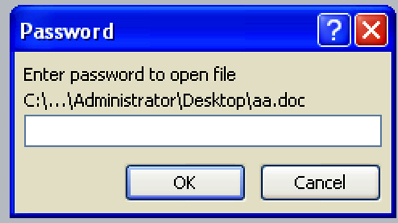
Figure 1. Password prompt while opening a protected malicious document
- Delayed Execution: Typical malware use instructions such as sleep or other methods like stalling “for loops” or date and time checks to delay the execution in a sandbox, effectively bypassing the analysis. In case of these macro-based malware documents, we have observed that they use the “ping” utility to delay the execution. The malware invokes the command “ping 8.8.8.8 -n 250” and waits for the ping process to complete the execution. This typically takes a long time to complete (sometimes as long as approximately 5 minutes) and in most cases is enough to bypass the sandbox analysis since they sandboxes are typically configured with a smaller time threshold for executing samples. The ping command has long been used, mostly to ensure the connectivity to the Internet. In this case, however, the use of the ping command to delay the execution of a sample is novel. Figure 2 shows the snapshot from the process explorer indicating the ping command being invoked by the execution of a malicious document.

Figure 2: Sample using ping command for delayed execution
Malicious Document Execution Analysis
Analysis of vbscript
The macro code in the malicious document drops and executes a vbscript (vbs) file as shown in Figure 2. The dropped vbscript file is responsible for downloading and executing the second stage payload. The vbscript file was obfuscated and for the purpose of demonstration in this blog we will use debug feature of the vbscript editor to deobfuscate the file content.
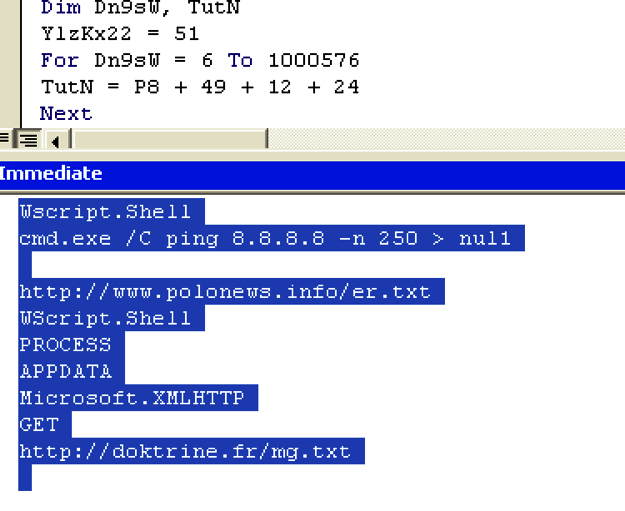
Figure 3: Vbscript deobfuscation using vbscript editor
As shown in Figure 3, the vbscript file launches the “ping” utility to delay the execution and after that connects to “https://doktrine.fr/mg.txt” domain to download the second stage payload. The vbscript then saves the downloaded payload to the disk with a “.qsb” extension.
The payload in “.qsb” file is xor encoded. The vbscript will decode the “.qsb” file and write the content to another file with “.fyn” extension and execute the file. Figure 4 and Figure 5 show the “.qsb” decoding routine and the execution of the “.fyn” file.
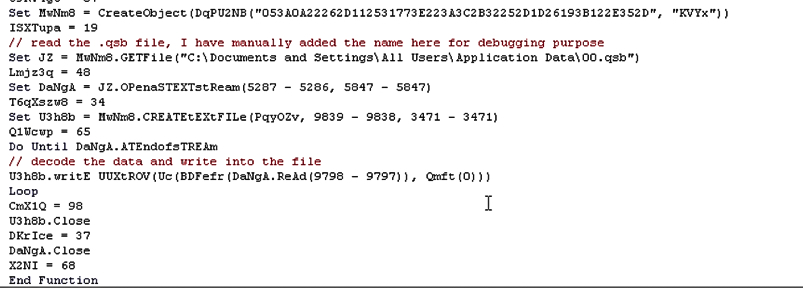
Figure 4: “.qsb” file decoding routine
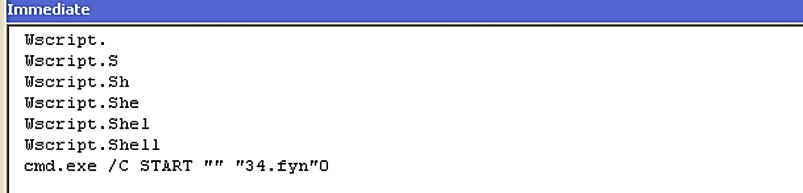
Figure 5: Executing “.fyn” file
Analysis of .fyn (PE) file
The file with the “.fyn” is a Windows-executable file. As shown in the Figure 6 the execution started in the code section and then jumped to the marked region. The density of the API calls is higher in the region indicating the execution of the unpacked code.
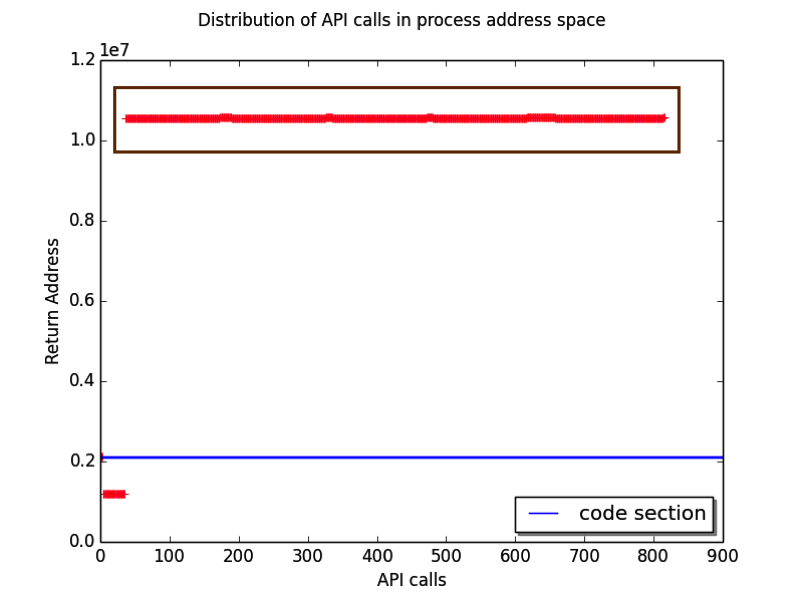
Figure 6: Distribution of API calls in the process address space
As shown in Figure 7, there is a region of the code which is checking if the execution environment is VMware using the process enumeration.
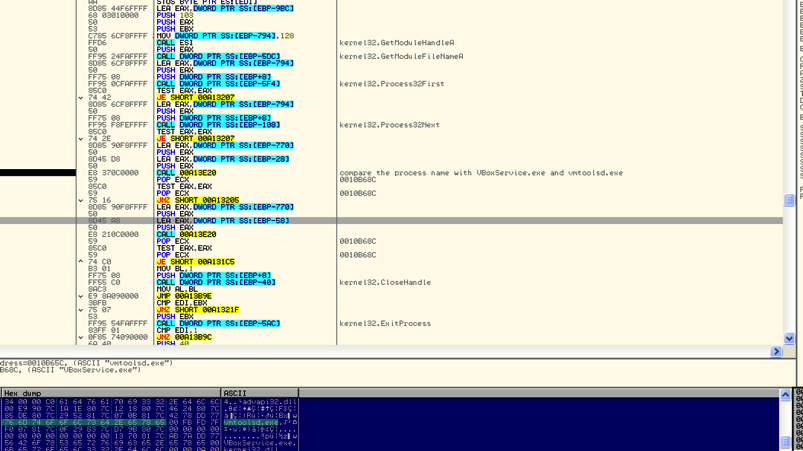
Figure 7: Code checking for VMware execution environment
The code also checks for active debugging using GetTickCount. After these checks the code will search for default browser in http//shell/open//command registry. After that, it will create a browser process in suspended mode and then it will unmap and write the browser process memory with a upx compressed file as shown in Figure 8 and Figure 9 respectively.
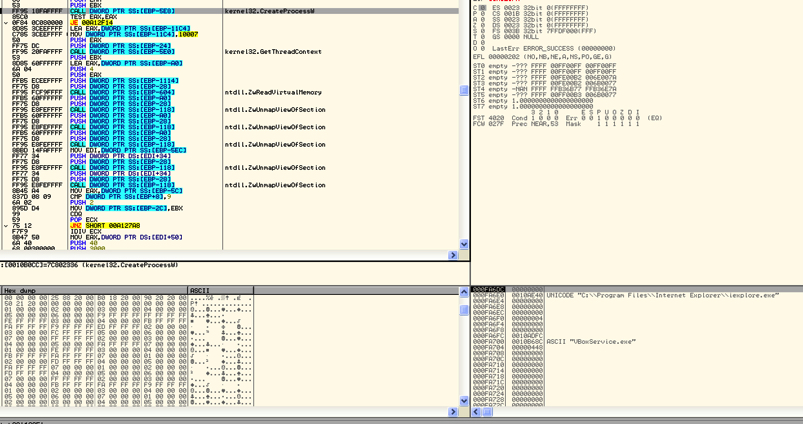
Figure 8: Create Process in suspended mode
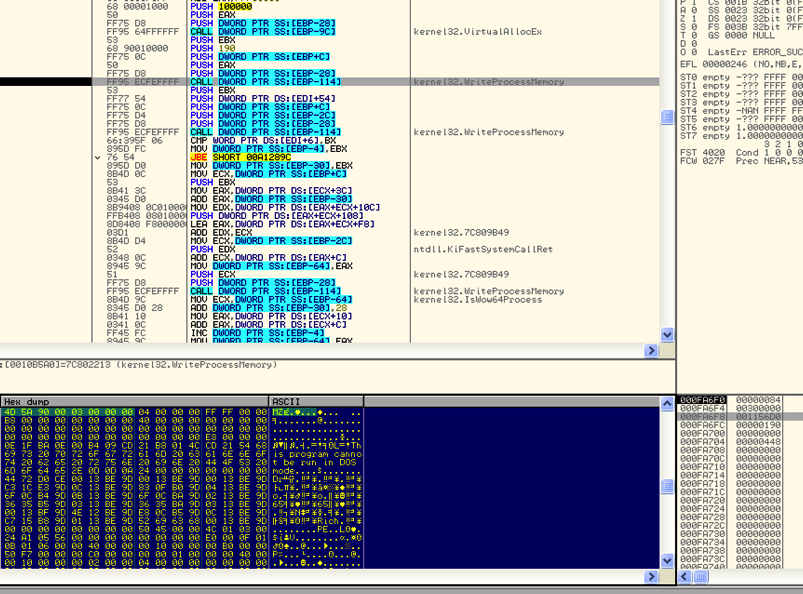 Figure 9: Write the browser process memory with upx compressed file.
Analysis of UPX compressed file (Nitol Botnet)
The UPX compressed file is a nitol botnet binary. Nitol is a very old botnet and its C&C server domains are currently sinkholed. During our analysis, the binary tried to connect to d.googlex.me which is currently not active. It is interesting to note that the same domain was referenced as a C&C server in a blog published by McAfee in February 2016 on the Hydracrypt ransoware.
It is currently not clear if the attackers are using Nitol binaries as a placeholder for the future threats or if they are testing a new attack methodology.
Netskope Detection & Remediation
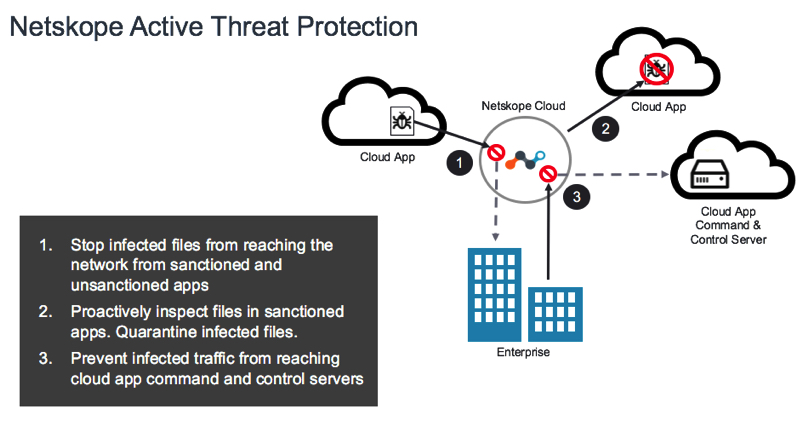
Netskope Active Threat Protection detects these malicious macro based documents as W97m.Downloader. Customers who have deployed the Netskope Active Platform and Netskope Introspection can set the respective malware & threat detection policies to detect and remediate against this malware.
IOC
- 5866c53bd16a15d88f51415fde254b8edac9bc22495ad3ac2f12f5e5ef025923
- 4d977327390a13a2660da4f65872810245b57b34d990c22c547410fe3b7f3511
- e88f5c562bb894e452c88ac1c8f4fa2aea9e14275ca5a2e25655cb95491cc37f
- 2e42ca6c471ef2894ea407d482b0b6419afbd2e550a8688932064caabd48dfb6
- d76cf03299107defbb6270bbe0118aa2ceaa1197d7a0499bdb869ed02401b756
- e65b5b57f3dd913e24bb65bfb7f0a9f60fb53f2b12460b537d6b21a6d5a14eb8
- b14f8b2b8b82267be787b4b844a17554e5b6fa34ea0af197176c29dcbba60b52 (.qsb)
- 5041bf99f3010fd88ec0a37557cb2ee51aba5cb49fac5bb0aec120f2cc893128 (.fyn)


 Lea el blog